Turning on a tracker
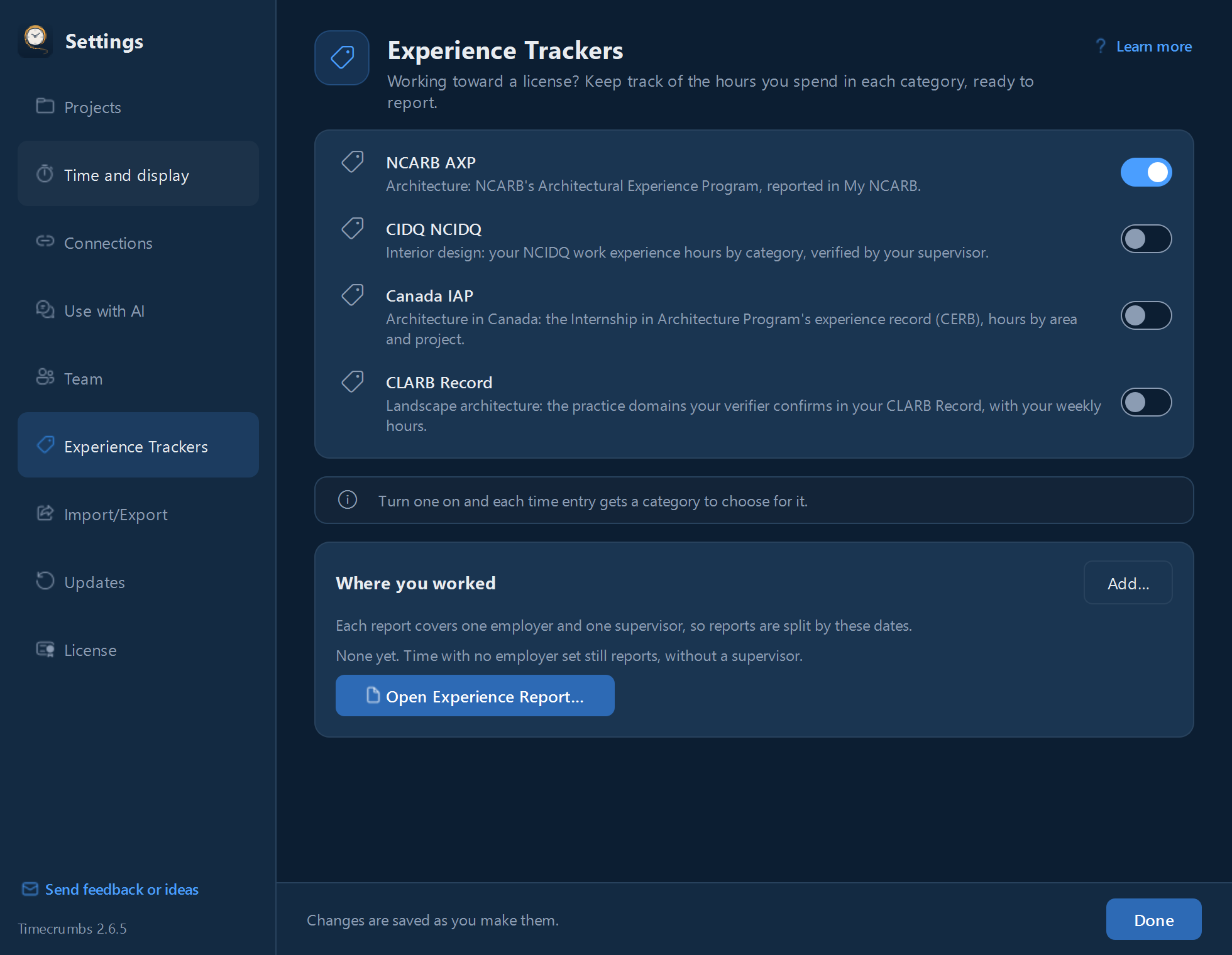
- Click Settings in the top bar, then Experience Trackers.
- Turn on your program.
- Add your employer and supervisor, with the dates you worked under them.
Choosing a category for each entry
Each time entry now has a picker for your program's categories, or Doesn’t count toward it. Timecrumbs suggests one from your past choices, or from the phase before you've made any, and you accept it in one click. You always choose; nothing is filled in for you.
Entries that still need a category are marked in the day view, and the Week Summary shows how many hours are waiting.
Your experience report
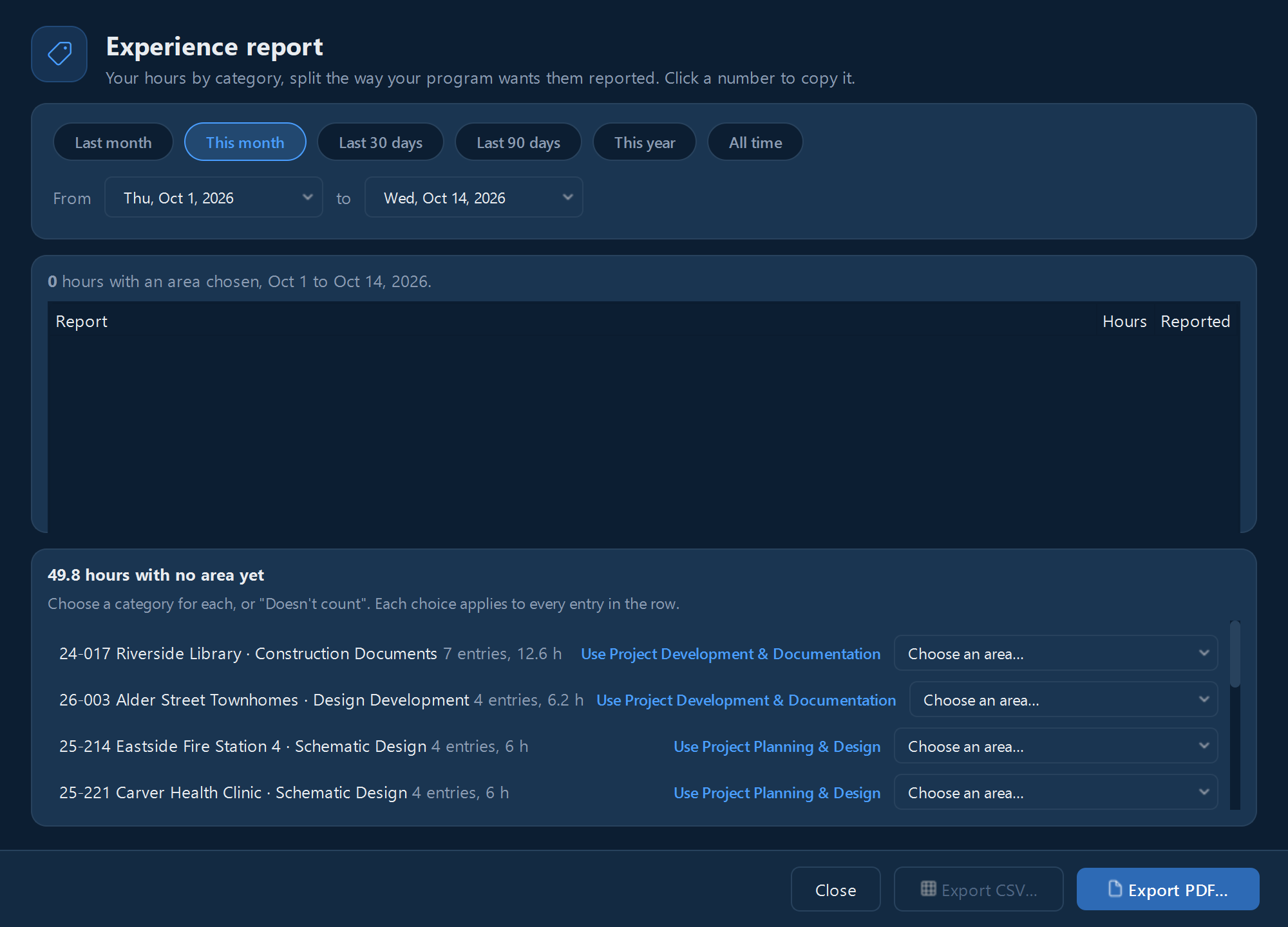
- Click Reports in the top bar and choose your program, or click Open Experience Report… on Experience Trackers.
- Pick the dates. The report splits your hours by employer and supervisor, and by category.
- Click any number to copy it into your program's site, or export a PDF for your supervisor or a CSV.
For AXP, tick Reported once you've entered a report on NCARB's site. Timecrumbs then reminds you in the Inbox if other hours come close to NCARB's one-year window for full credit.
Still stuck? Email [email protected] and a person will reply, usually within one business day.