Connecting your AI app
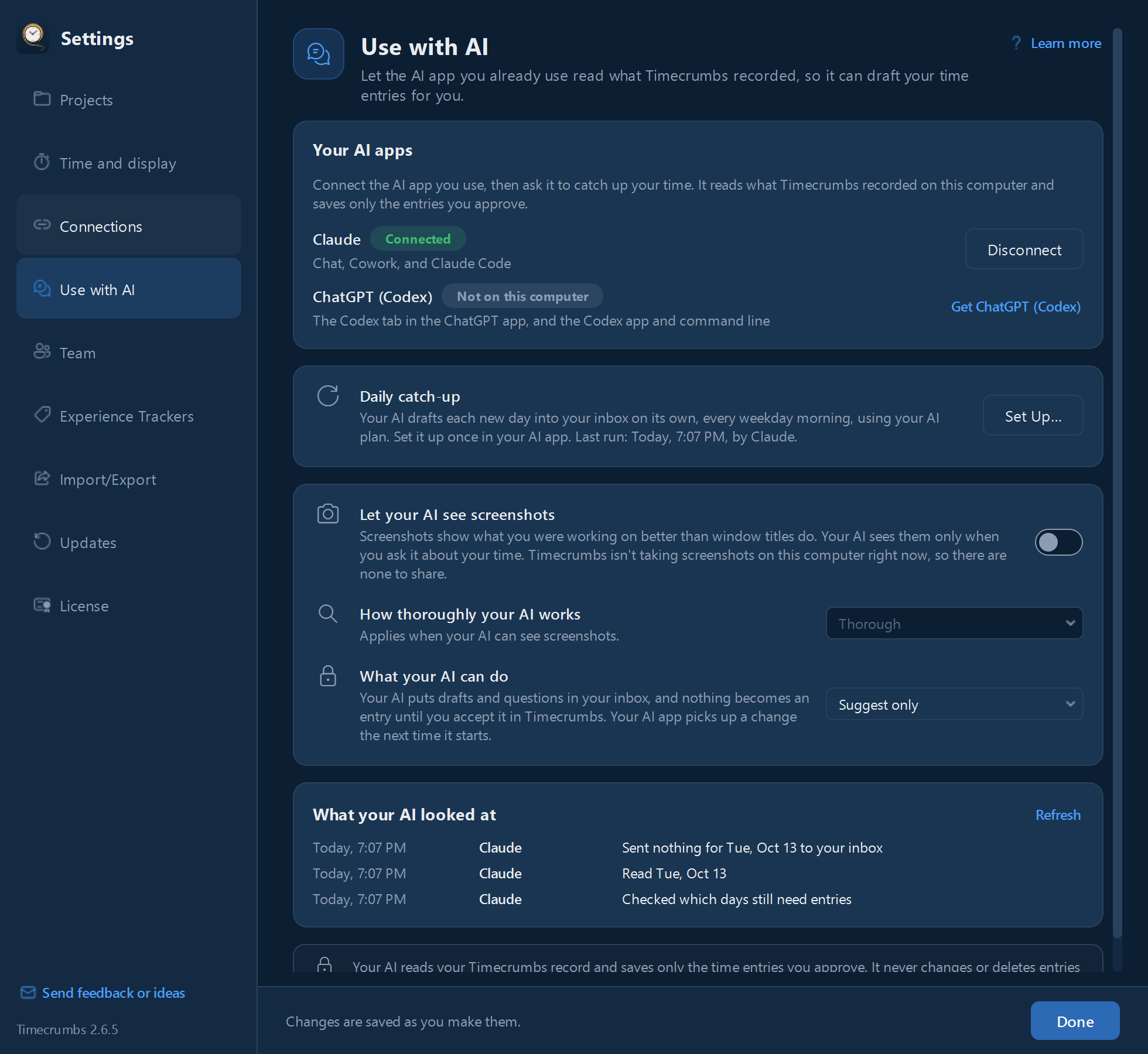
- Click Settings in the top bar, then Use with AI.
- Under Your AI apps, click Connect beside yours. Timecrumbs lists the AI apps it works with that are installed on your computer.
- If your AI app needs an extension added, Timecrumbs walks you through its screen step by step.
Then ask your AI app to catch up your time. It reads what Timecrumbs recorded on your computer and sends its drafts and questions to your Inbox. See the integrations for the AI apps Timecrumbs works with.
The daily catch-up
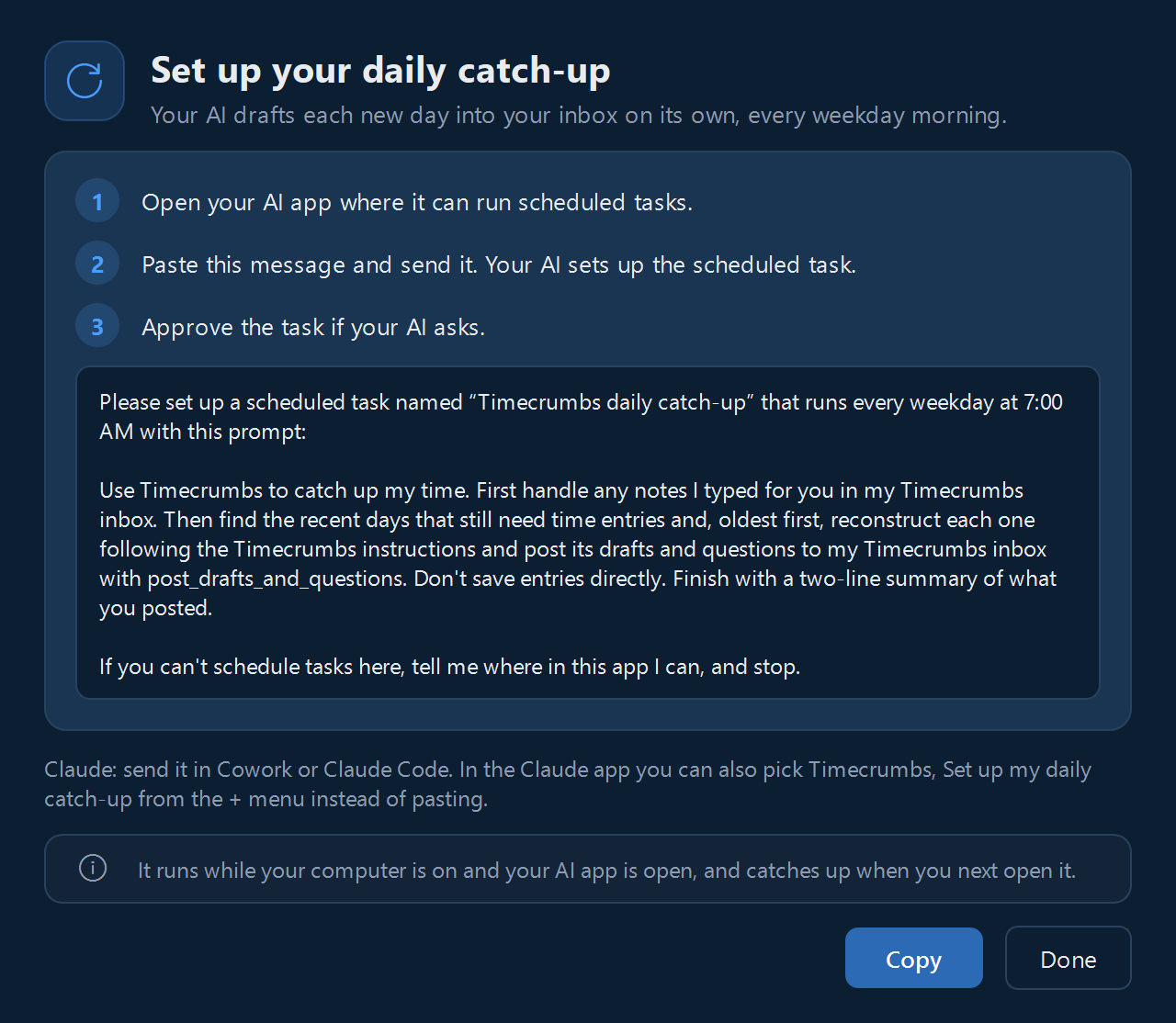
Set it up once, and every weekday morning your AI drafts the day before into your Inbox, ready for you.
- Right after you connect, Timecrumbs offers to set it up. Or click Set Up… beside Daily catch-up on Use with AI.
- Copy the message it shows and paste it into your AI app.
- Your AI app creates its own weekday-morning task. Timecrumbs never starts your AI itself.
Use with AI shows when the catch-up last ran.
What your AI can and can't do
- By default it only suggests: its drafts and questions wait in your Inbox, and nothing becomes an entry until you accept it. What your AI can do on Use with AI can also let it save entries you approve in your conversation with it.
- It can never change or delete entries already there, or your projects and settings.
- It sees your screenshots only if you turn on Let your AI see screenshots.
- What your AI looked at lists every time it read your record, by app.
- To stop, click Disconnect on Use with AI.
What your AI app reads is processed by the company that provides it, under your own account. The privacy policy has the details.
Still stuck? Email [email protected] and a person will reply, usually within one business day.