
The Week Summary
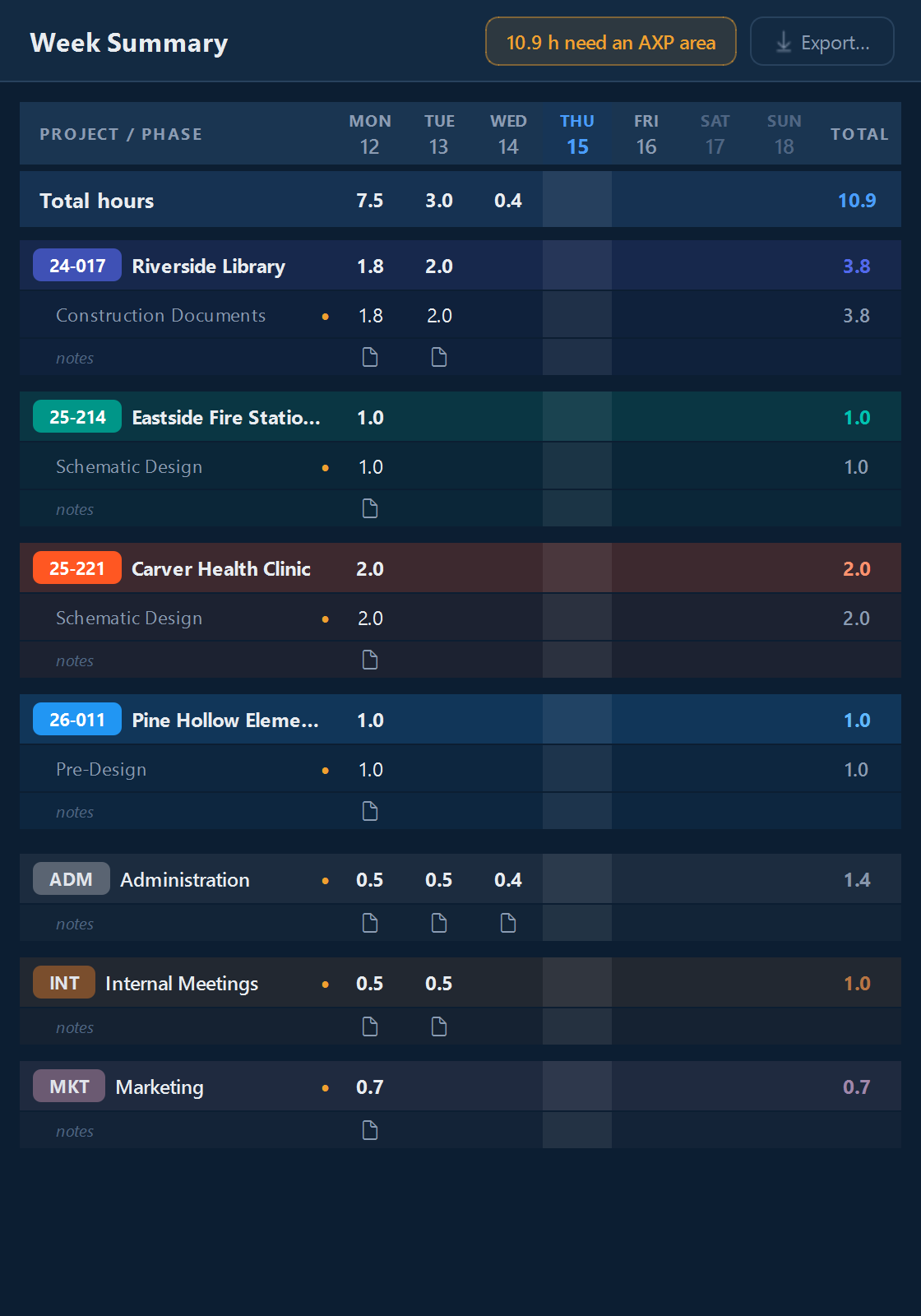
The Week Summary on the right of the window totals your hours by project, phase, and day.
Click any number to copy it, then paste it into your timesheet or billing system.
If you bill in quarter or half hours (Settings, Time and display, Billed hours), the Week Summary shows your billed hours, with a note saying so.
Exporting a timesheet
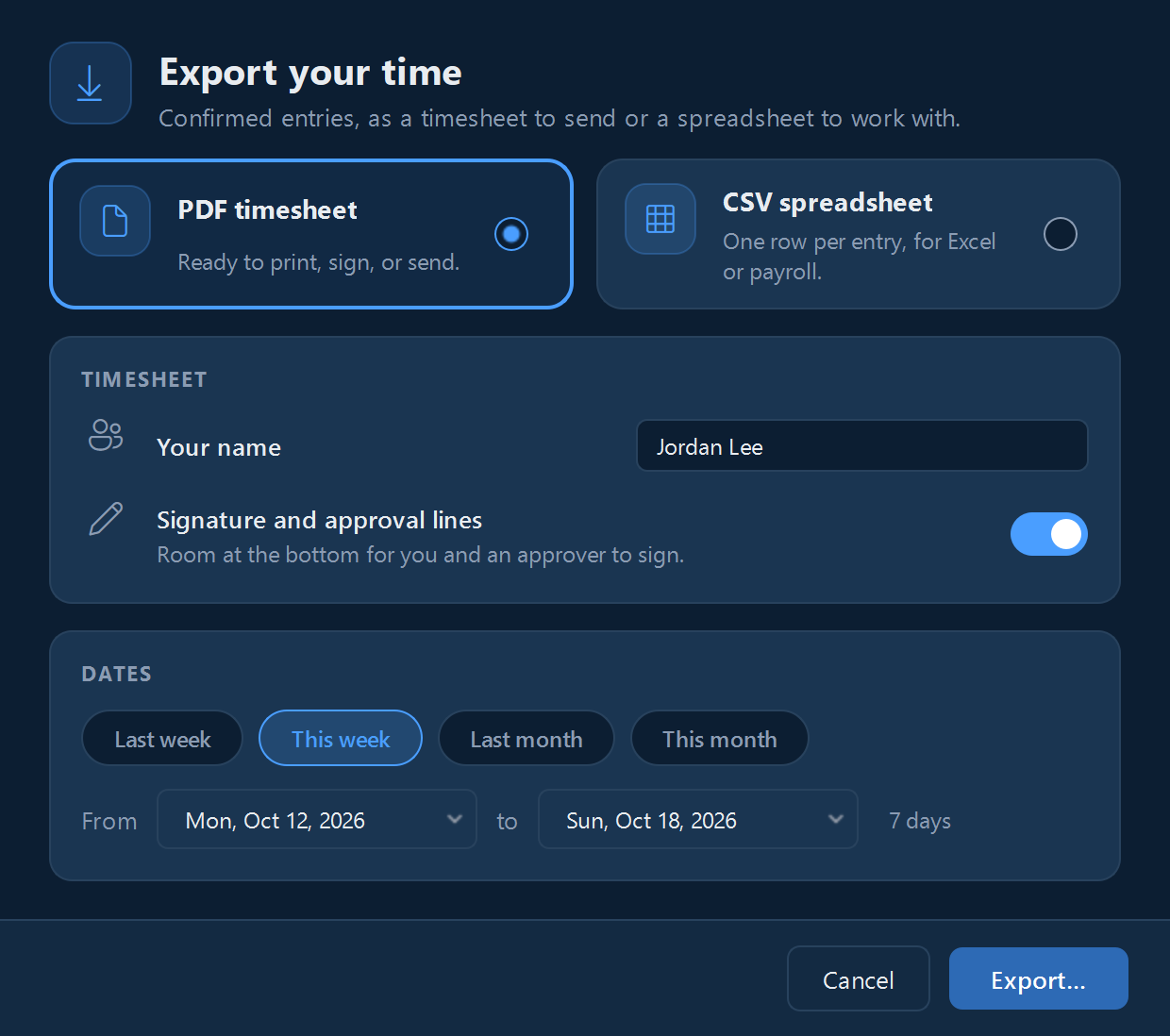
- Click Export… on the Week Summary.
- Pick the dates.
- Choose a PDF timesheet (totals by project, every entry by day, and optional signature lines) or a CSV spreadsheet with one row per entry and both your hours and your billed hours.
Private projects are left out unless you turn on Include private projects.
Reporting on one project
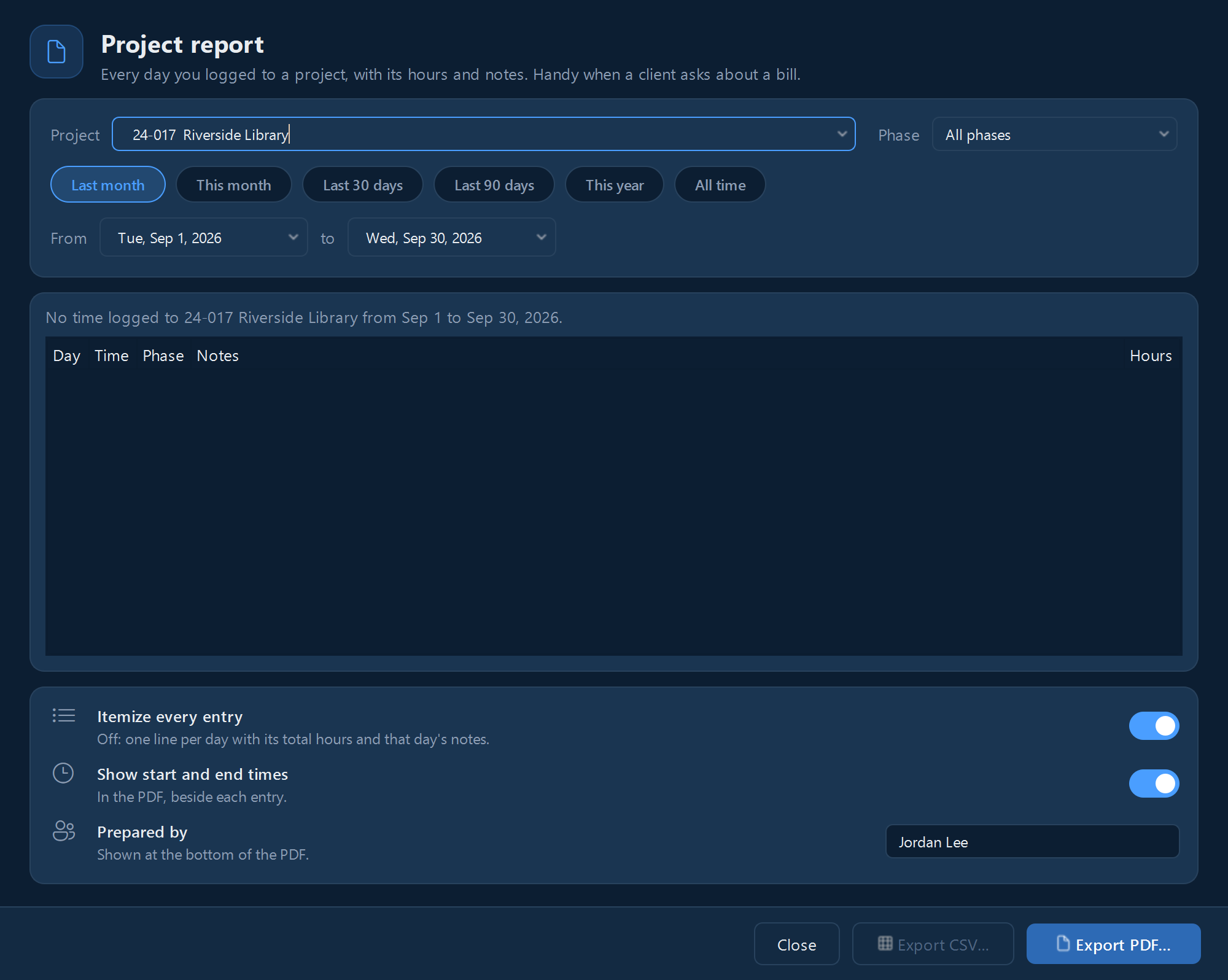
- Click Reports in the top bar, or select a project in the Projects window and click Report….
- Type the project's number or name, and pick the dates: Last month, This month, Last 30 days, Last 90 days, This year, All time, or your own range. Narrow it to one phase if you like.
- Leave Itemize every entry on to list each entry with its note, or turn it off for one line per day with that day's total and notes.
- Click Export PDF… for a report to send your client, with your name under Prepared by, or Export CSV… for a spreadsheet.
A report covers your own entries, the ones on your computer.
Still stuck? Email [email protected] and a person will reply, usually within one business day.